
Your team finishes a sales call, and the CRM stays empty until someone finds time to type it up. Often nobody does.
Is this happening in your business?
- Call notes live in notebooks, voice memos or someone's head.
- The CRM is missing budgets, needs and next steps, so forecasts are guesses.
- Leads go cold because the follow-up was never written down.
- A manager has to ask "what happened on that call?" to know where a deal stands.
What it costs you
Every call that is not logged is a deal you cannot manage. The information was there, spoken out loud, and it is lost because writing it down is a chore that comes after the call, when the next one has already started.
How it works
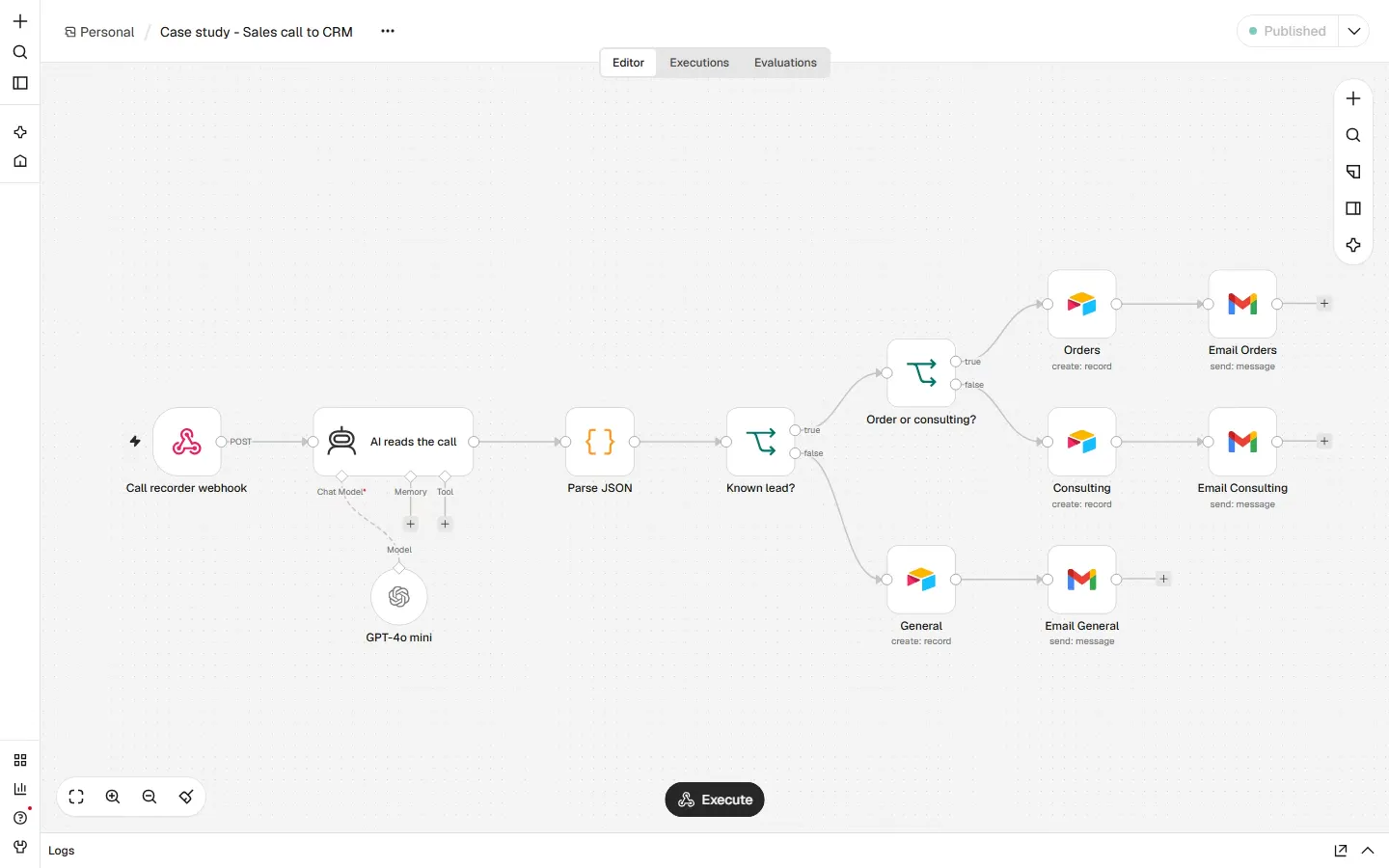
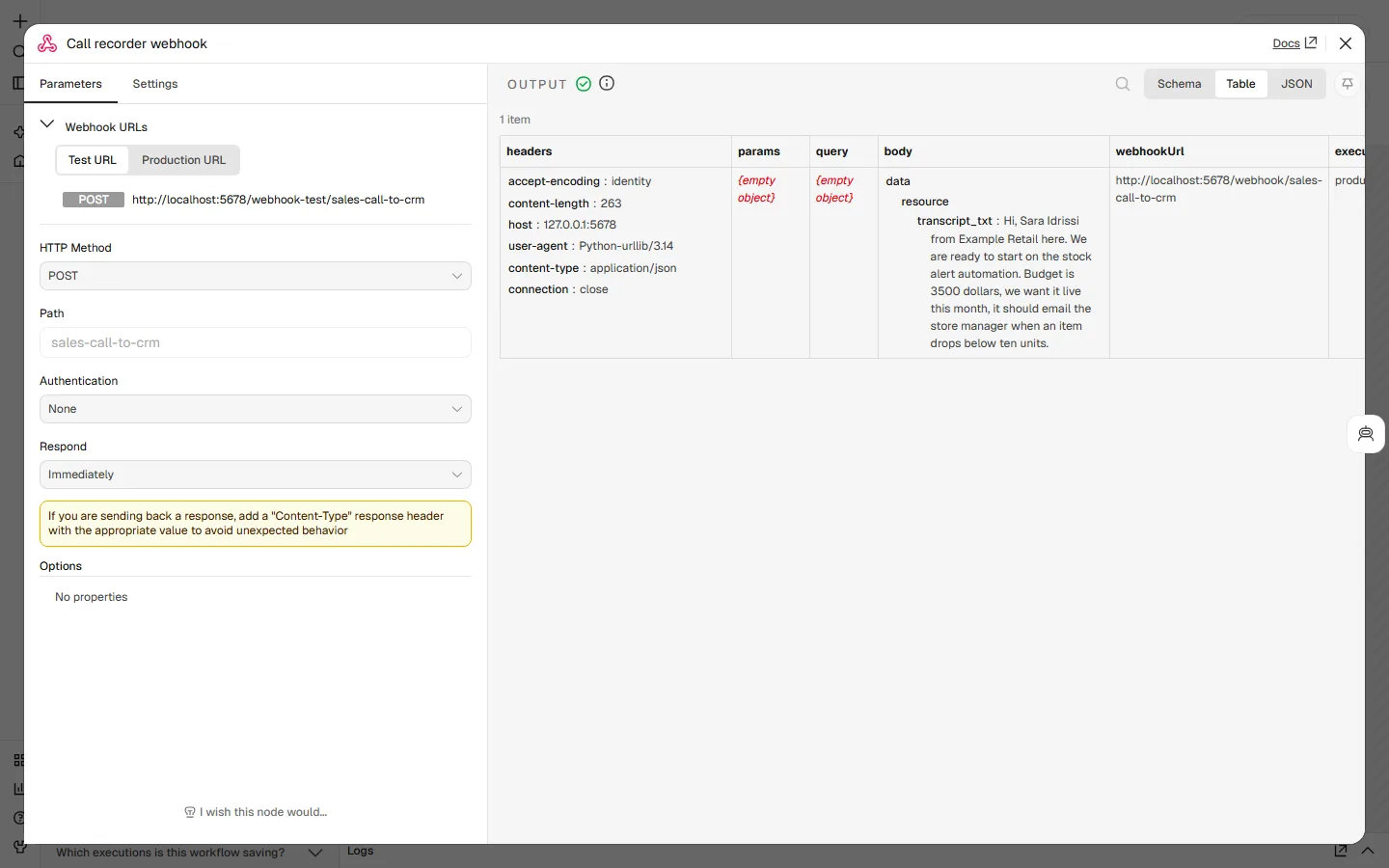
- The call recording arrives. Your call recorder sends the transcript to the workflow as soon as the call ends.
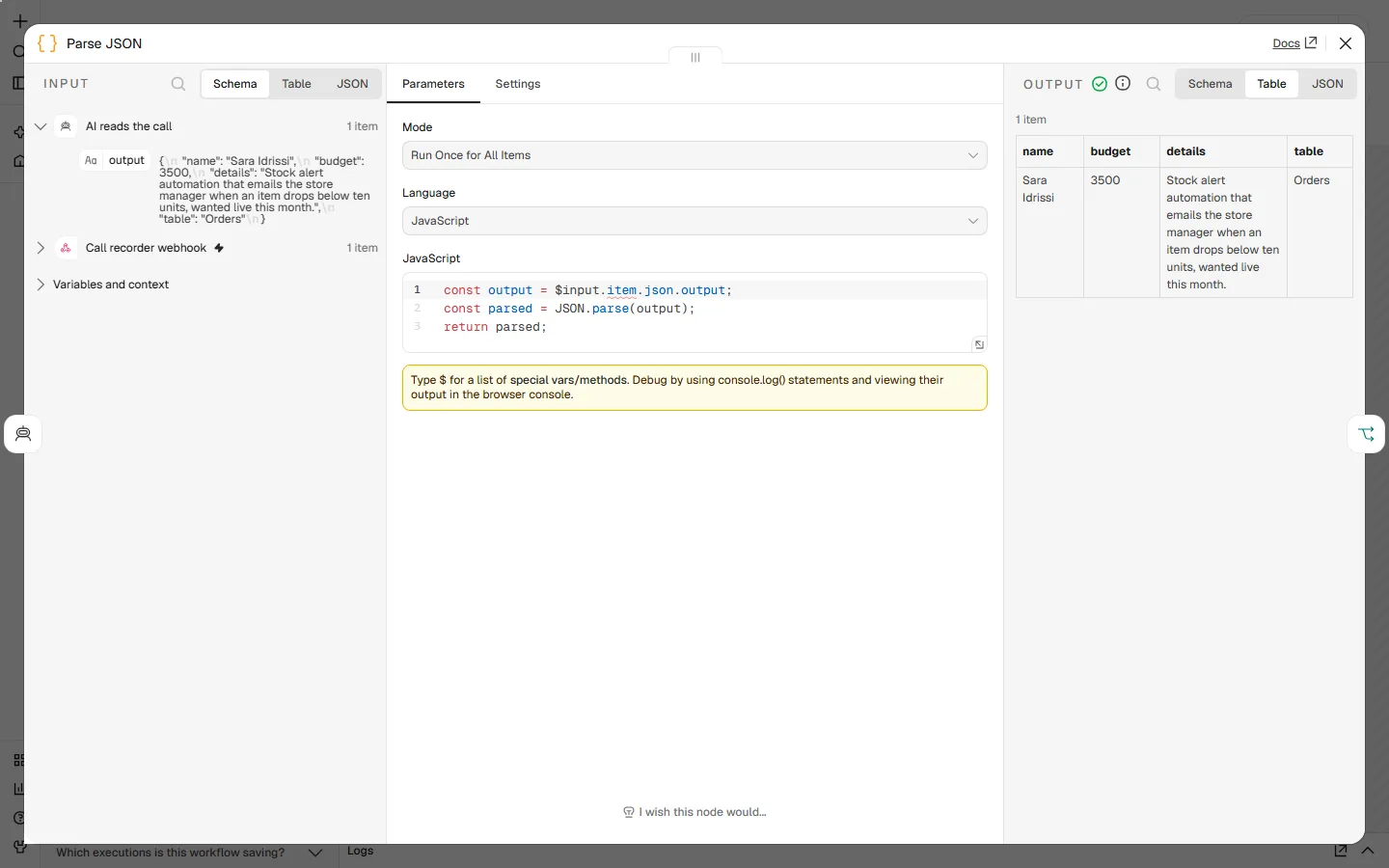
- AI reads the call. It pulls out the client's name, budget, what they need and the agreed next step, in a fixed format so nothing is invented or missed.
- The deal is sorted. The call is routed by type, for example an order, a consulting request or a general enquiry, so each lands in the right table.
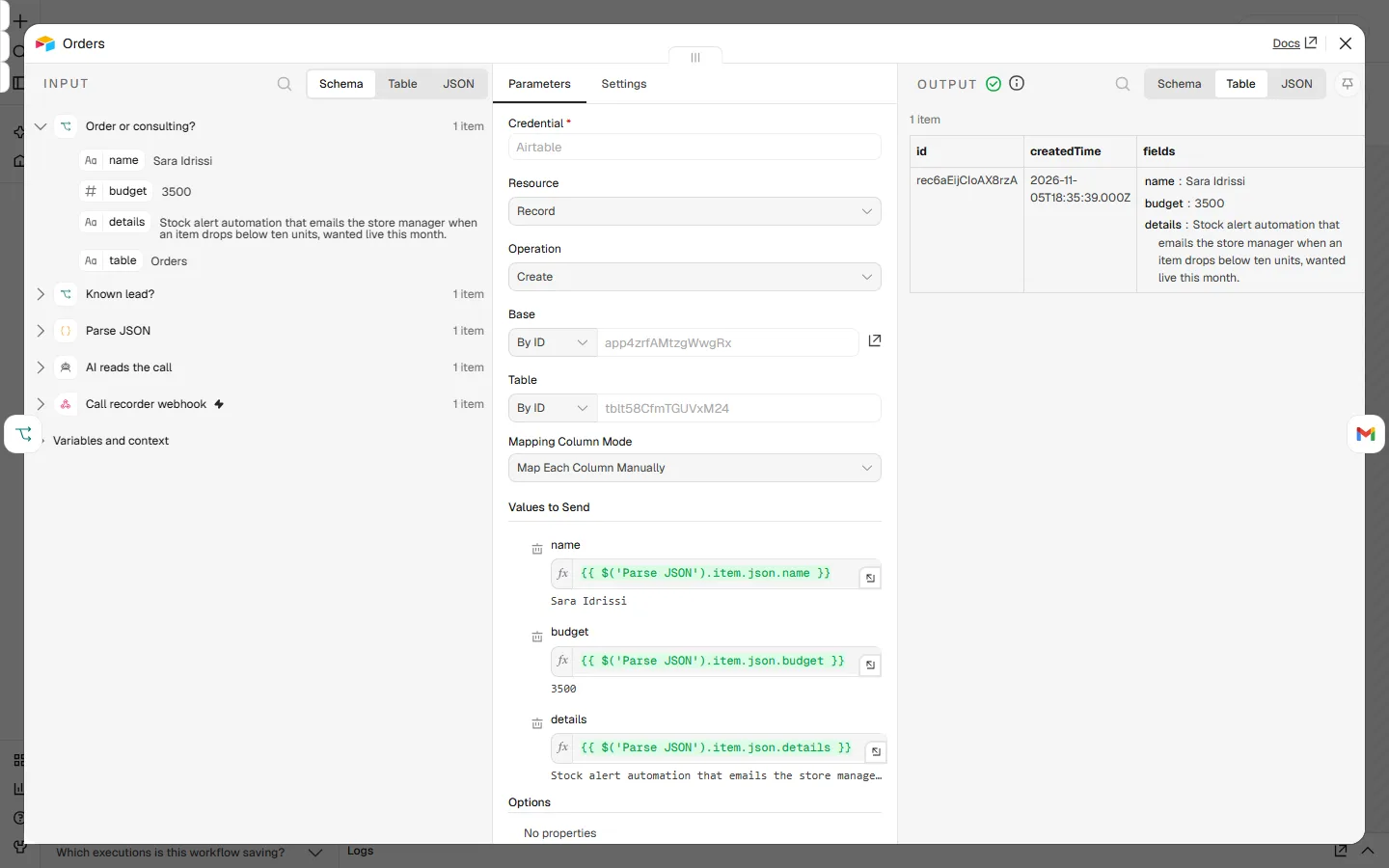
- The CRM record is created. A clean record appears in the CRM with the details filled in, ready for the next step.
Before
- Notes typed after the call, when there is time
- CRM half empty, budgets missing
- Follow-ups depend on memory
After
- Every call becomes a record within moments of ending
- Same fields filled every time
- The next step is written down before anyone forgets it
Decisions that make it safe to use
- The AI fills a fixed form, it does not write free text. If a field is not in the call, it stays empty instead of being guessed.
- Nothing is sent to the client automatically. The workflow only updates your own CRM. People still own the conversation.
- Sorting rules are plain and visible. You can see and change which type of call goes where.
What it runs on
- n8n: the automation tool that runs each step in order and shows every run, so you can see what happened.
- A call recorder: any tool that can send a transcript when a call ends.
- An AI model: reads the transcript and fills the fields. It only extracts, it does not decide.
- Airtable: the CRM in this demo. HubSpot, Pipedrive or Notion work the same way.
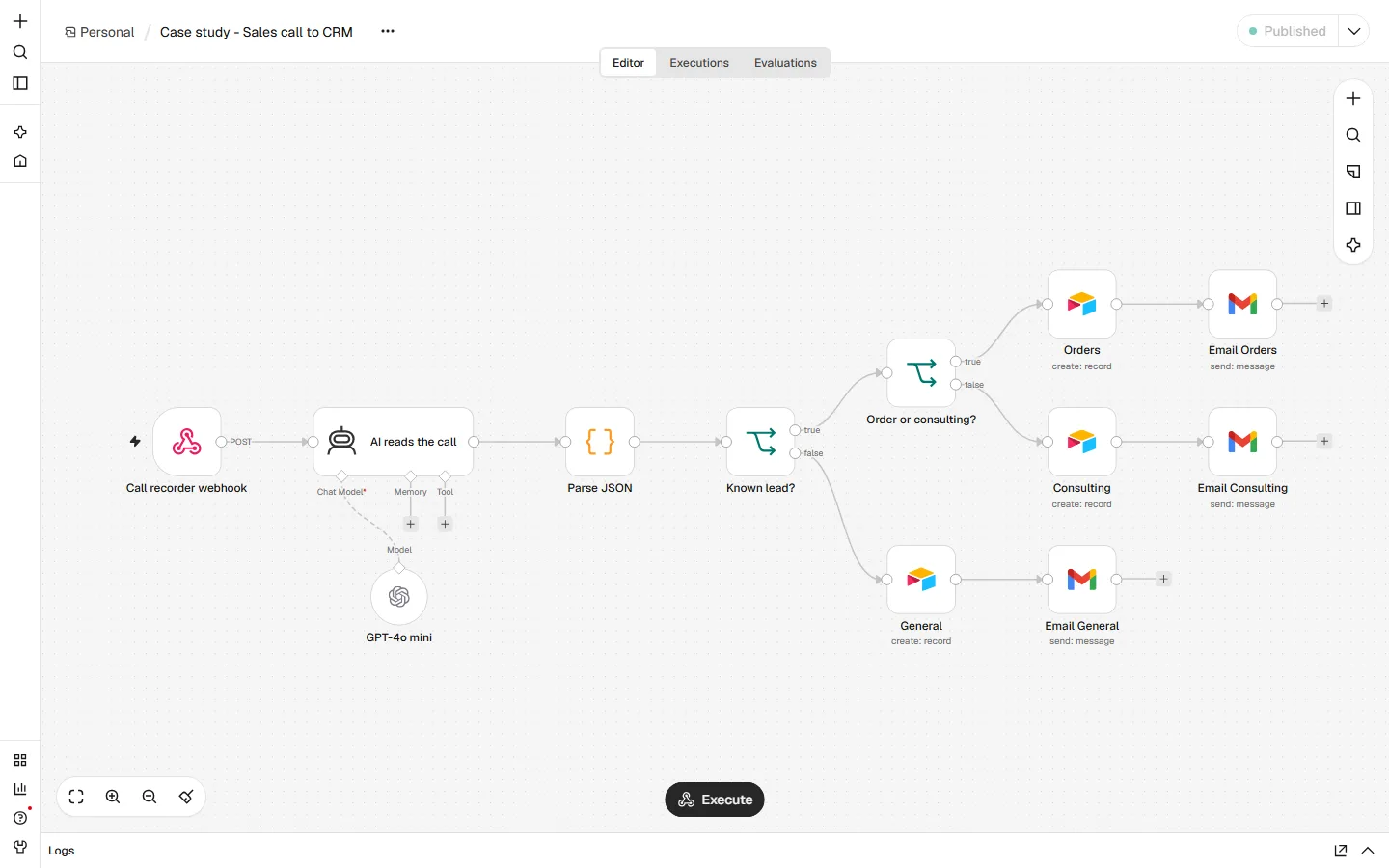
Inside the run
How it goes live in your business
For your team, the same workflow connects to the call tool and CRM you already use.
- Map the process with you. One call to walk through how the work happens today, who does what, and where it breaks. You get a one-page plan before anything is built.
- Build it on your accounts. The workflow connects to your own tools, with your own logins. Nothing runs through a shared account of mine, and you can switch it off at any time.
- Test with your real examples. We run it on a copy of your data and real past cases first, side by side with the way you work now, until the output is right.
- Go live with a safety net. Every failed step sends an alert to a person instead of failing silently, and anything uncertain is routed to a human.
- Hand over. You get a short guide to what it does, how to change the common things yourself, and what to do if a step fails.
Do your calls end with nothing in the CRM?
Describe the process in a short brief: what happens today, which tools are involved, and what "fixed" would look like. I read every brief and reply with whether I can fix it and how. Write a brief
Demo built and tested by me with three sample calls and made-up names. It is not a client project, and no time saving is claimed because none was measured.